Lesson 1 · getting started
Create a first site from one clear description
Open Orikami in the browser and write what kind of site you need and for whom. The assistant starts right away and tells you what it is doing.
Free, no card needed.
Updated: .
1. Register
Open orika.me/app and choose "Register": full name, email, a phone number with country code and a password. Accept the terms and the privacy policy. A code arrives by email; enter it and Orikami signs you in.
2. Wait for the start
After signing in wait about 10 seconds, the page opens by itself. Only you see your sites and your chats with the assistant.
3. Describe the result
Write the whole task in the field at the bottom of the screen. For example: "A site for a nail studio with services, prices and a request form". The more specific, the more accurate the result: who the site is for, which sections it needs, how to contact you.
4. Follow the work
The assistant builds the pages and tells you what it is doing. If it needs to clarify something, it asks. Your sites and chats with the assistant are always on the left side of the screen.
5. Look at the site
When the assistant says the site is ready, write "Publish the site" (to publish means to put the site online). The assistant sends an address like your-name.orika.me: open it and look. The site cannot be seen before that. Until you send the address to someone, nobody will find the site: on the free plan (Free) sites do not appear on Google.
You can buy your own domain, for example my-salon.com, from us or connect one you already own. You can do it later, under "My domains".
6. Ask for changes
Write in the same chat what to change: "Make the header dark", "Add a prices section". The assistant makes the changes and tells you what it changed. Then write "Update the site" and open the same address again.
What the sites look like
These are style samples, not customer sites: we built them ourselves to show the result. Each one opens as a regular website.
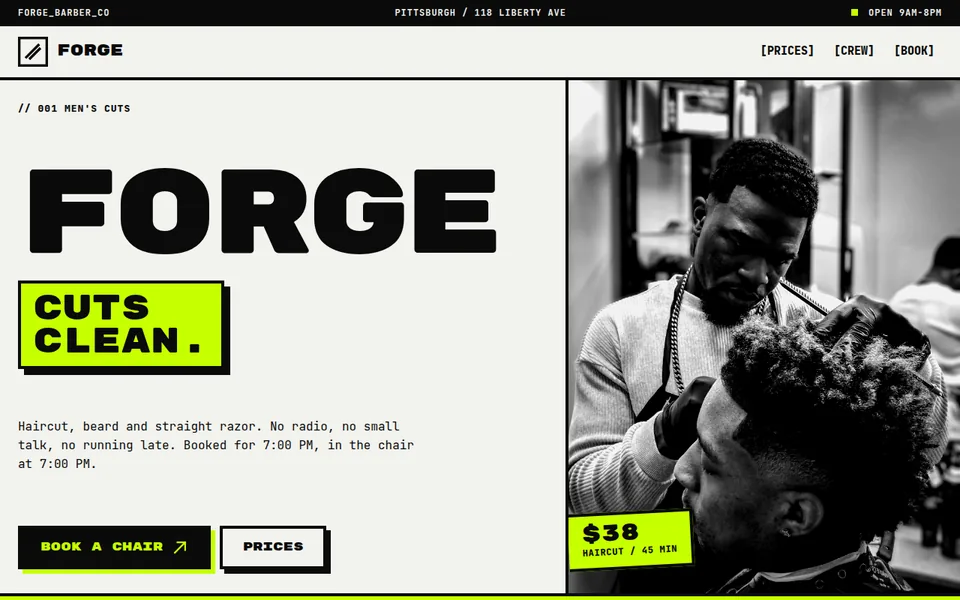

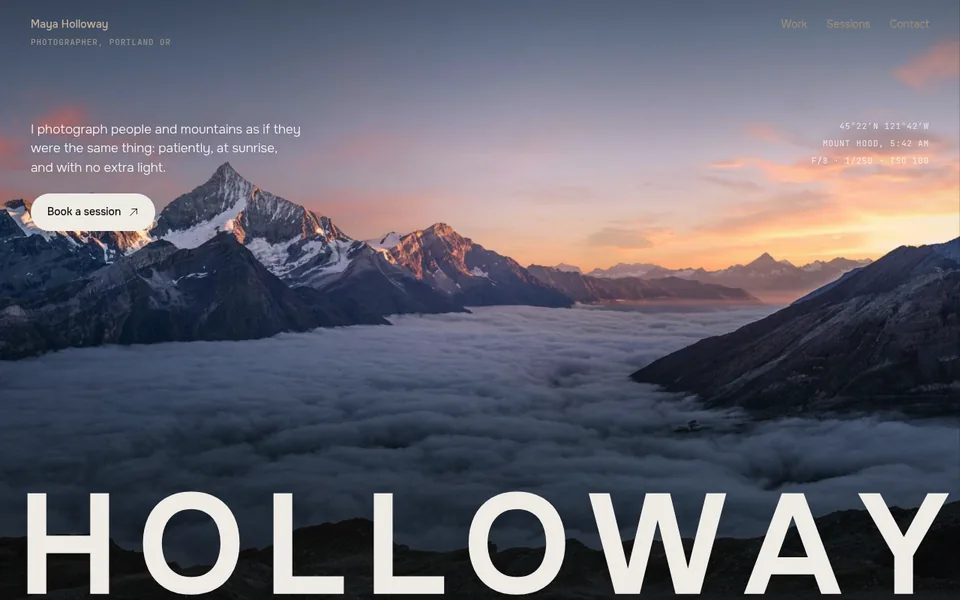
- 25 sample sites open by link: you can look at them before signing up
- A free site stays online 7 days, no card needed
- The first payment is refunded in full if you publish no site within 14 days
Developed by Dias Zhumagaliyev. Questions and help: [email protected].
Questions
Do I need to fill in technical fields?
No. The assistant decides how to build the pages and asks only what changes the result.
Where do I find my work later?
On the left side of the screen: your sites and your chats with the assistant. After a break open the chat you need and it continues from the same place.
The first site is started.
Next step: ask the assistant to change the result in plain words.
Free, no card needed.