Vibe coding without programming
Nothing to install. Write what site you want: the Orikami assistant builds it and sends you a link.
You can build one site for free. No card needed. Prices
Where to start: ready samples
Pick a sample and say what the site is for. The assistant makes a site with the same look, but with your texts.
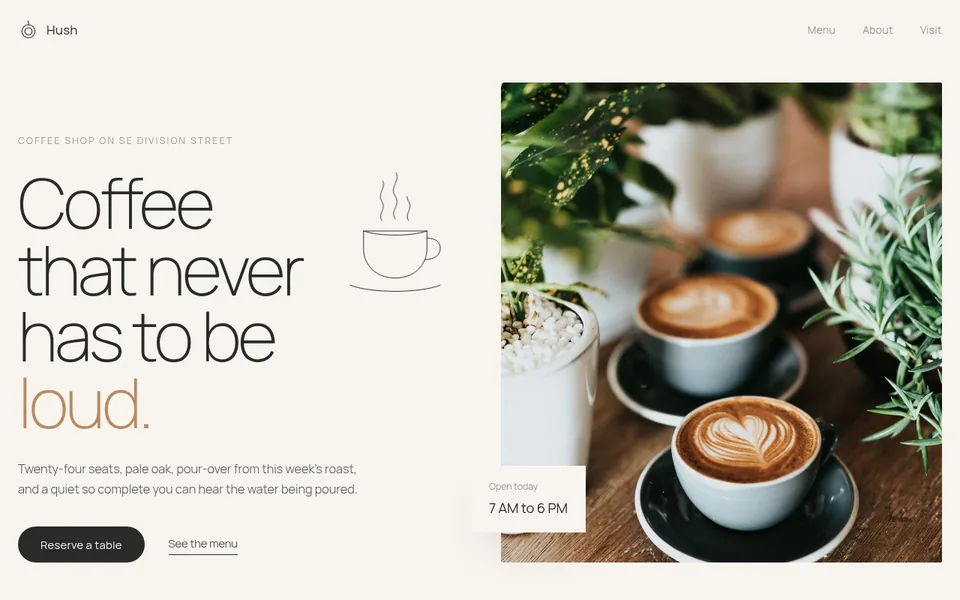
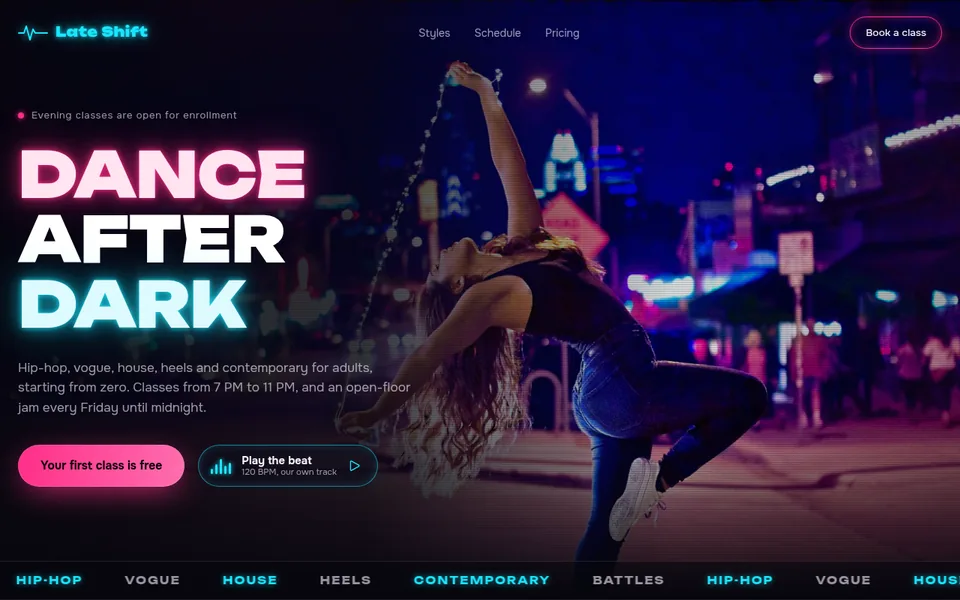
These are style samples, not customer sites: we built them ourselves to show the result. Each one opens as a regular website.
- 25 sample sites open by link: you can look at them before signing up
- A free site stays online 7 days, no card needed
- The first payment is refunded in full if you publish no site within 14 days
Developed by Dias Zhumagaliyev. Questions and help: [email protected].
Three steps to a site
- Describe it in words
Write in the field what site you want: who it is for, what it should show, how to contact you. No programming and nothing to install.
- Get a link
Create an account and write "Publish the site" to the assistant. It sends an address like your-name.orika.me that you can send to customers.
- Edit in the same chat
Write what to change: texts, prices, colours, the order of sections. Then ask "Update the site"; the address stays the same.
What it costs
A free site stays online 7 days. To keep it online you need a paid plan. We keep a copy for 30 more days. Prices are in US dollars.
- Free$0
The free plan: one site, to try it out.
1 site at an address like your-name.orika.me.
- Start$10 / mo or $100 / year
For one business: the site has no time limit and shows up in search.
3 sites, each with no time limit.
- Club$30 / mo or $299 / year
For people with several projects or branches.
5 sites, each with no time limit.
If you publish no site within 14 days of the first payment, it is refunded in full. All plan details
More details
What vibe coding is
Vibe coding means building a site with words, without programming: you describe the result and an AI assistant makes the pages. In Orikami this happens in the browser.
Why beginners give up
The usual path looks like this: a service in a foreign language, unfamiliar words, tools made for programmers, a first error, and the project is put off. That is why Orikami comes with lessons in plain words and support by email.
What is included
Orikami
An assistant in the browser: you describe the site in words, ask it to publish, look at the result at the link and ask for changes.
Lessons on this site
Four short lessons: from sign-up to a published site.
Support by email
If something does not work, write to [email protected].
Where to start today
Pick one clear result: a business card site, a page for one offer or a portfolio. Describe it in two or three sentences: who it is for, what it should show, how to contact you. With that description you can come to Orikami.
What happens after 7 days and what it costs
One site is free and needs no card. It stays online for 7 days, then stops opening. An email arrives two days before the deadline, and we keep a copy of the site for another 30 days.
To keep the site online and let people find it on Google, you need a paid plan. You can ask the assistant for as many changes as you like on every plan. Prices are in US dollars.
A site gets an address like your-name.orika.me. You can buy your own domain, for example my-salon.com, from us or connect one you already own. This works on any plan.
| Free | Start | Club | |
|---|---|---|---|
| Price (US dollars) | $0 | $10 a month or $100 a year | $30 a month or $299 a year |
| Number of sites | 1 | 3 | 5 |
| How long the site stays online | 7 days | While the plan is paid | While the plan is paid |
| Can be found on Google | No | Yes | Yes |
| Can download the site source files | No | Yes | Yes |
Updated: .
Questions
How long does it take to learn?
A first simple site can be built in an evening. The lessons on this site take you from sign-up to a published site.
Do I need to install anything?
No. Orikami runs in the browser: open the site, create an account and write to the assistant.
What happens to a free site after 7 days?
The site stops opening. An email arrives two days before the deadline. We keep a copy of the site for 30 days, then it is deleted for good. To keep the site online you need a paid plan.
How much does a paid plan cost?
Start is $10 a month or $100 a year (up to 3 sites), Club is $30 a month or $299 a year (up to 5 sites). Prices are in US dollars. If you publish no site within 14 days of the first payment, you get a full refund.
Do I need to speak Russian?
No. Orikami has an English interface and you can write to the assistant in your own language.
Will this help me earn money?
We do not promise income. We help you build and launch your own site.
Start with a first project, not with theory.
Open Orikami in the browser and describe your first site.
Free, no card needed.