Build a website with AI, no programming
Write what you do. The Orikami assistant builds the pages of the site and sends you a link to it. It all happens in the browser.
You can build one site for free. No card needed. Prices
What the sites look like
These are style samples, not customer sites: we built them ourselves to show the result. Each one opens as a regular website.
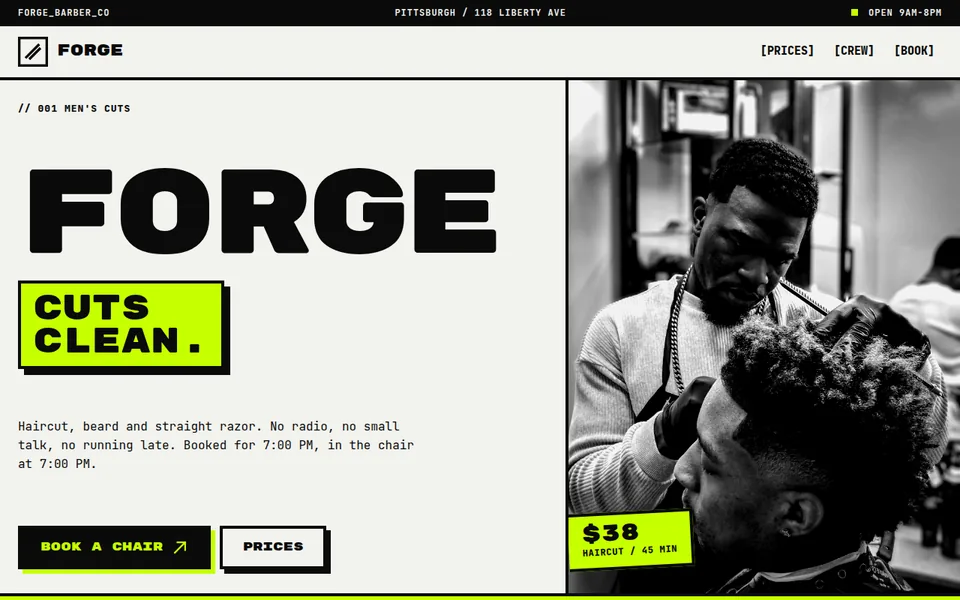
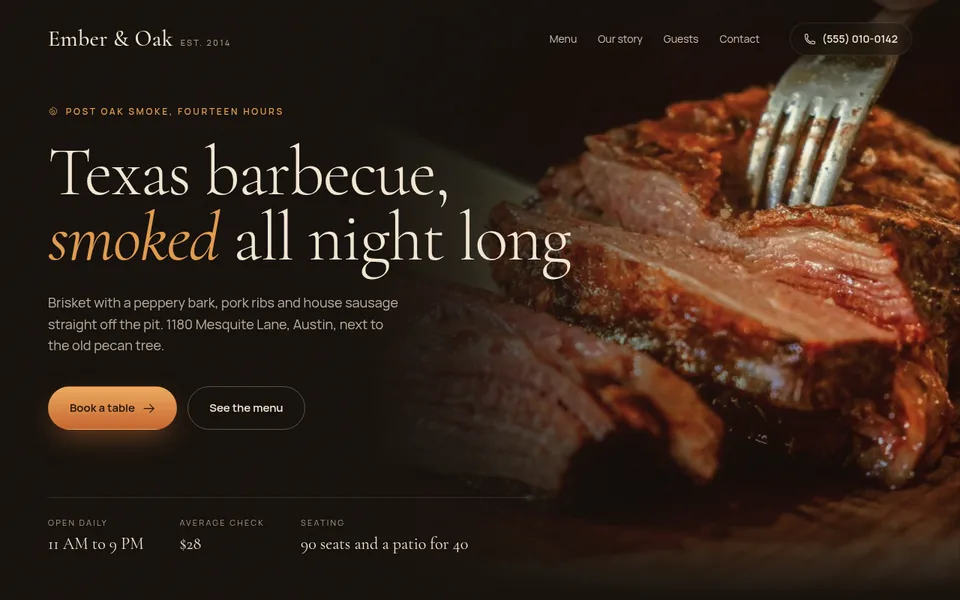
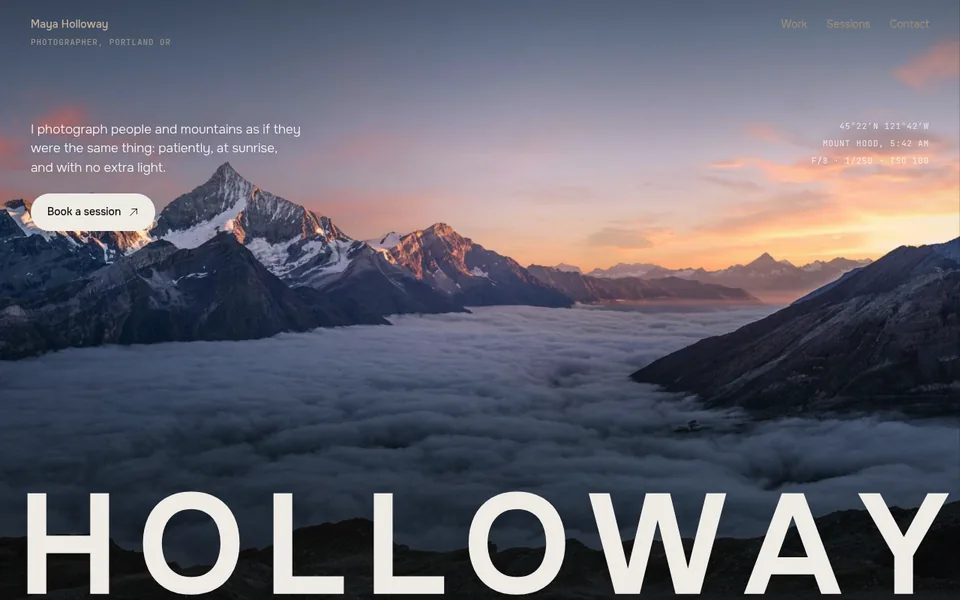
- 25 sample sites open by link: you can look at them before signing up
- A free site stays online 7 days, no card needed
- The first payment is refunded in full if you publish no site within 14 days
Developed by Dias Zhumagaliyev. Questions and help: [email protected].
What it costs
A free site stays online 7 days. To keep it online you need a paid plan. We keep a copy for 30 more days. Prices are in US dollars.
- Free$0
The free plan: one site, to try it out.
1 site at an address like your-name.orika.me.
- Start$10 / mo or $100 / year
For one business: the site has no time limit and shows up in search.
3 sites, each with no time limit.
- Club$30 / mo or $299 / year
For people with several projects or branches.
5 sites, each with no time limit.
If you publish no site within 14 days of the first payment, it is refunded in full. All plan details
More details
What sites you can build
Business card site
Services, prices, work and contacts. For a craftsperson, photographer, cafe or small studio.
A page for one offer
One page about a course, an event or a promotion, with a clear next step for the visitor.
Portfolio
Your work with a description and a way to contact you.
A link to your site
An address like your-name.orika.me. You choose the first part of the address (Latin letters, digits and hyphens); the second part is the same for all Orikami sites. The address is protected (a padlock in the address bar), nothing to set up.
Your own site address (domain)
For example my-salon.com instead of your-name.orika.me: buy a domain from us or connect one you already own, on any plan.
An example for one evening
Write in the chat: "A website for a barbershop in Almaty with prices and a request form". The assistant builds the pages and tells you what it made.
Say what to change: colours, texts, the order of sections. Changes are made in the same chat, like asking a person.
Then write "Publish the site": the assistant picks a free name and sends a link like your-name.orika.me. Open it and look: the site can be seen only after it is published. After later changes ask the assistant to update the site; the link stays the same.
How this differs from a site builder
In a regular builder you move blocks yourself. Here you say what you need and the assistant builds and edits the pages. If you get stuck, the lessons on this site help, and you can write to [email protected].
Updated: .
Questions
Can I build a site with AI for free?
Yes, on the free plan (Free): one site at an address like your-name.orika.me, no card needed. On Free the site stays online 7 days and cannot be found on Google. On the paid plans Start and Club sites can be found on Google.
Do I need to buy an address or a place for the site?
No. The site works at a free address like your-name.orika.me, and everything it needs to be online is included. If you want your own domain, for example my-salon.com, you can buy it from us or connect one you already own.
Can I edit the site myself later?
Yes, with the same words in the chat. Changes reach the published site when you ask the assistant to update it.
Build your site this evening.
Open Orikami in the browser, describe the idea and get a link. Nothing to install.
Free, no card needed.