How to build a website with AI
Describe your business in everyday words. The Orikami assistant builds the site and sends you a link to it. No programming needed.
You can build one site for free. No card needed. Prices
What the sites look like
Pick a sample and say what you do. The assistant makes a site with the same look, but with your texts and prices.
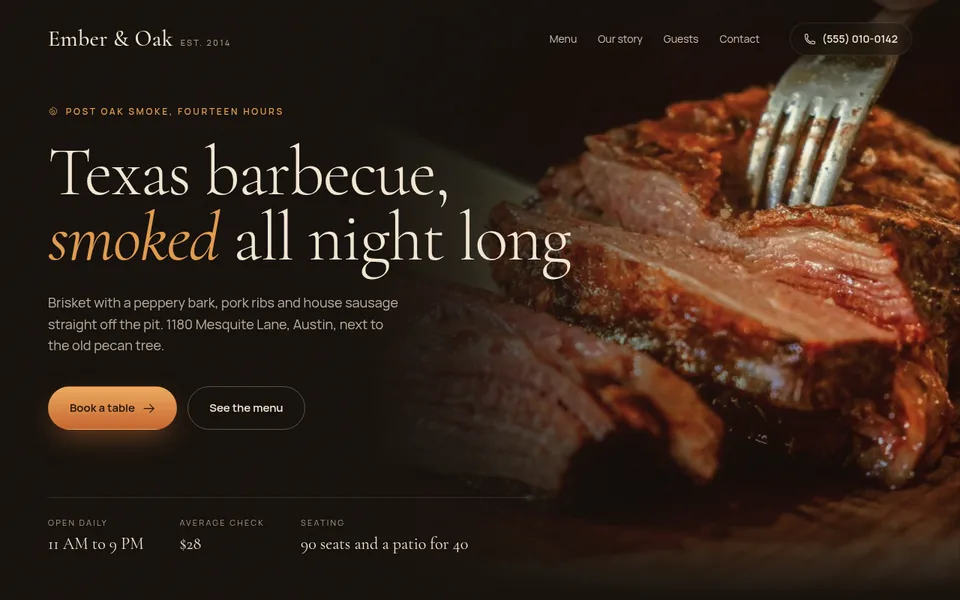
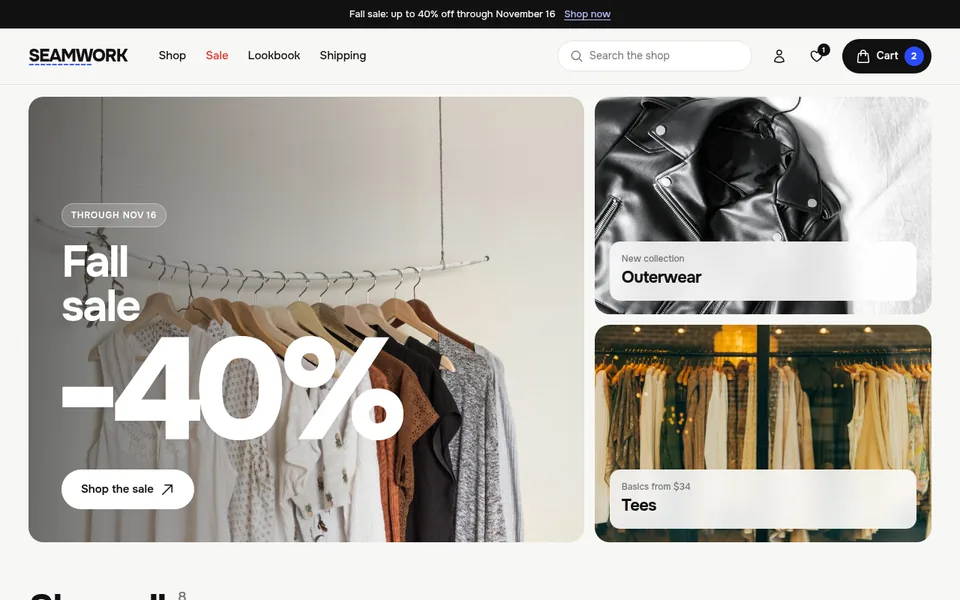
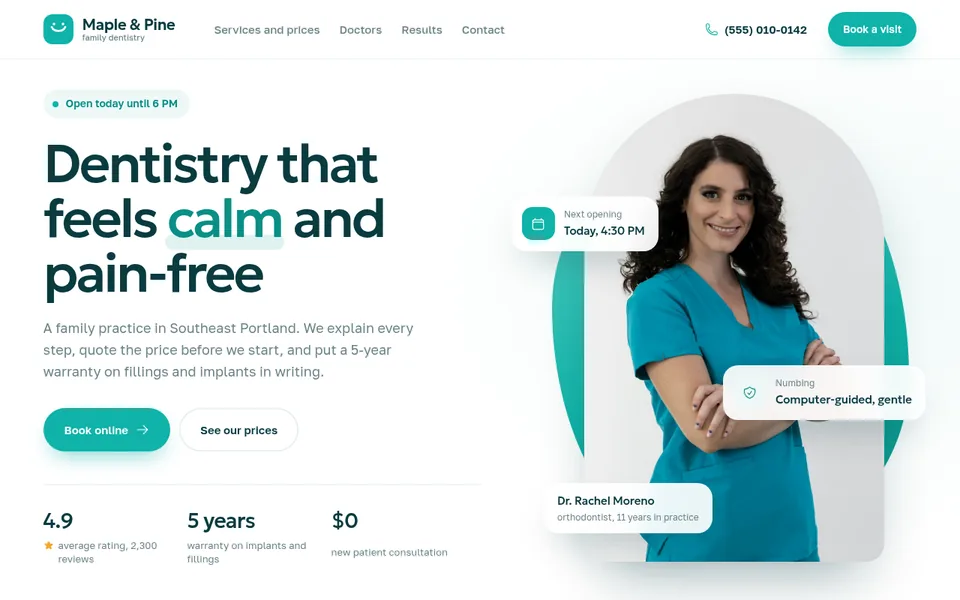
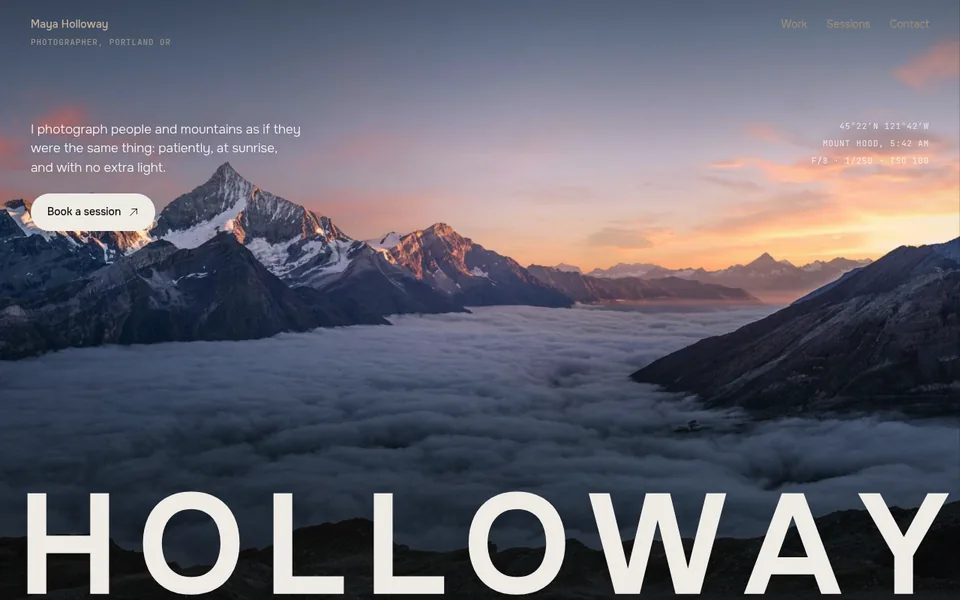
These are style samples, not customer sites: we built them ourselves to show the result. Each one opens as a regular website.
- 25 sample sites open by link: you can look at them before signing up
- A free site stays online 7 days, no card needed
- The first payment is refunded in full if you publish no site within 14 days
Developed by Dias Zhumagaliyev. Questions and help: [email protected].
Step by step
- Open Orikami
Register at orika.me/app. The free plan (Free) costs nothing and needs no card.
- Describe the site
Say what the business is and what the site needs. For example: "A website for a barbershop in Almaty with prices, photos of our work and a request form".
- Answer the assistant
If the assistant asks for details (name, colours, contacts), answer in the same chat.
- Ask for changes
Colour, texts, order of sections: ask in the chat as you would ask a person. The assistant tells you what it changed.
- Ask it to publish
Write "Publish the site". The assistant picks a free name and replies with a link like your-name.orika.me. You choose the first part of the address (Latin letters, digits and hyphens); the second part is the same for all Orikami sites.
- Update the site
After new changes write "Update the site": the link stays the same.
What it costs
A free site stays online 7 days. To keep it online you need a paid plan. We keep a copy for 30 more days. Prices are in US dollars.
- Free$0
The free plan: one site, to try it out.
1 site at an address like your-name.orika.me.
- Start$10 / mo or $100 / year
For one business: the site has no time limit and shows up in search.
3 sites, each with no time limit.
- Club$30 / mo or $299 / year
For people with several projects or branches.
5 sites, each with no time limit.
If you publish no site within 14 days of the first payment, it is refunded in full. All plan details
More details
What kind of site you get
You get a showcase site: pages with text, photos, prices and a request form. Requests from the form are shown in your Orikami dashboard.
The site opens at a link like your-name.orika.me. There is nothing to install, it all happens in the browser.
To avoid a blank page, pick a ready style on the home page: the style puts an idea into the chat and you only name your business.
What is not there yet
You cannot look at the site before publishing: you see it at the link once it is published. To get the earlier variant back, write to the assistant "Put it back the way it was before the last change" or press "Previous version" next to the published site in your dashboard.
- soon
Online booking, orders and payment on the site
Today you get a showcase site: text, photos, prices, contacts and a request form.
- soon
Telegram bots
Not available yet.
What it costs
Prices are in US dollars. Free is the free plan, Start and Club are paid. On any plan you can ask the assistant for as many changes as you like; the plans differ in the number and size of sites. On Free the site stays online for 7 days, then it stops opening.
| Free | Start | Club | |
|---|---|---|---|
| Price (US dollars) | $0 | $10 a month or $100 a year | $30 a month or $299 a year |
| Number of sites | 1 | 3 | 5 |
| Can be found on Google | No | Yes | Yes |
| Can download the site source files | No | Yes | Yes |
| Site size | up to 50 MB | up to 200 MB | up to 1 GB |
Updated: .
Questions
Do I need to program to build a website with AI?
No. You describe the site in words, and the Orikami assistant builds it and puts it online when you ask.
How much does it cost to build a website with AI in Orikami?
On the free plan (Free) the site costs nothing: one site, online for 7 days. Start is $10 a month or $100 a year, Club is $30 a month or $299 a year. Prices are in US dollars.
What if the site does not turn out right?
Ask for changes in the same chat, as many as you like. If you buy a paid plan and publish no site within 14 days of the first payment, you get a full refund.
In what language do I describe the site?
In English, Russian or another language: write to the assistant the way you speak.
Where is the site published?
At a free address like your-name.orika.me. The address is protected (a padlock in the address bar), nothing to set up. You can buy your own domain, for example my-salon.com, from us or connect one you already own.
Describe your site in one sentence
Open Orikami in the browser: a free plan, no card.
Free, no card needed.