Learn AI by building a site
The first step takes a minute: write what site you need. The assistant builds it and you learn from your own example.
You can build one site for free. No card needed. Prices
What the sites look like
These are style samples, not customer sites: we built them ourselves to show the result. Each one opens as a regular website.
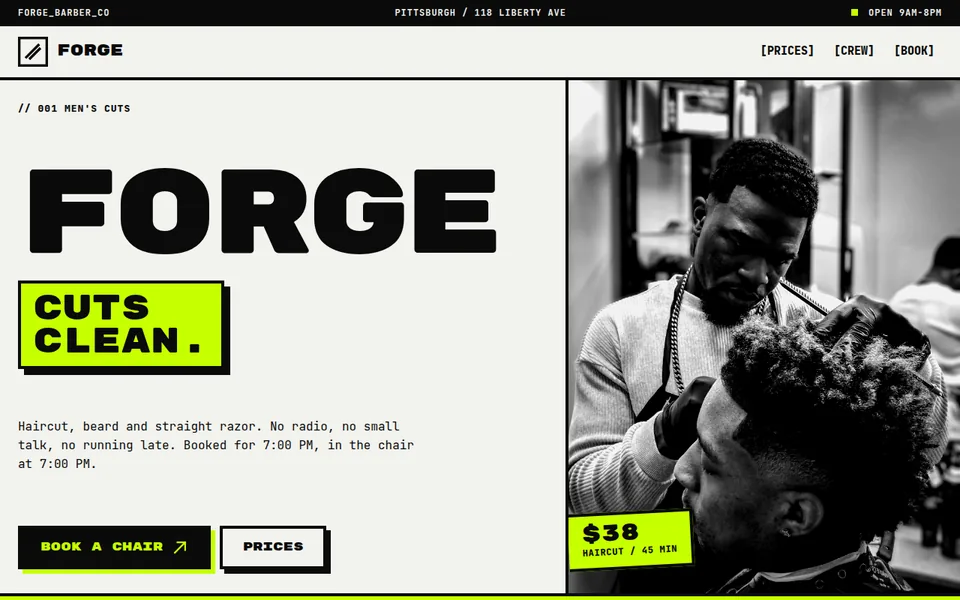
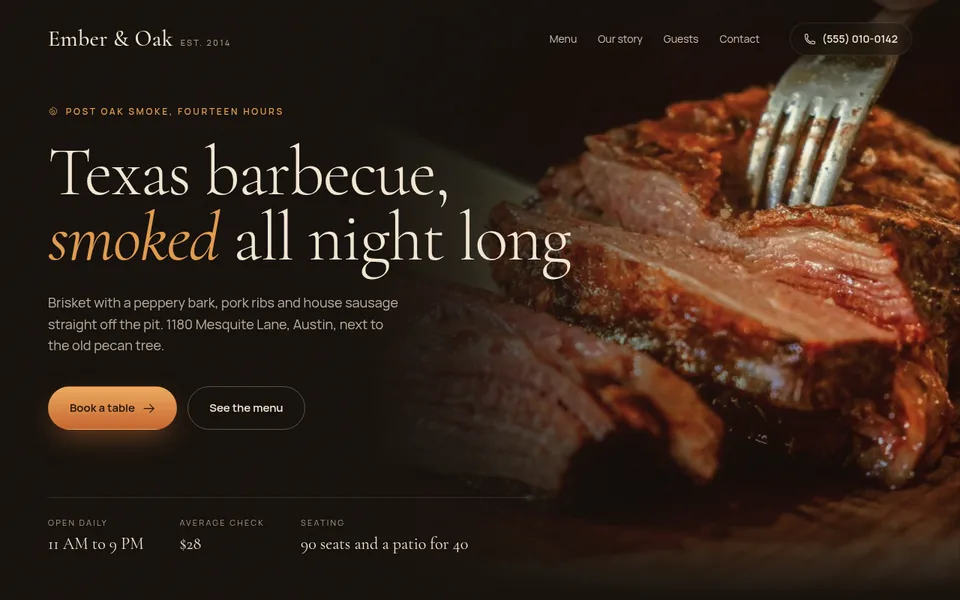
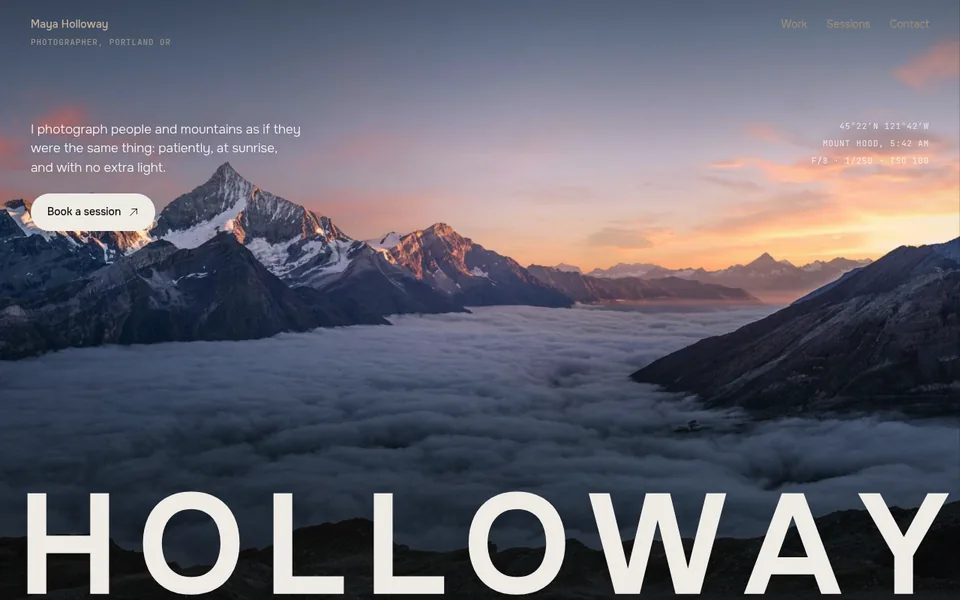
- 25 sample sites open by link: you can look at them before signing up
- A free site stays online 7 days, no card needed
- The first payment is refunded in full if you publish no site within 14 days
Developed by Dias Zhumagaliyev. Questions and help: [email protected].
A hands-on lesson
- Write
Write in the field, in plain words, what site you need and who it is for. That is your first request to AI.
- Look
Create an account and write "Publish the site" to the assistant. It sends an address like your-name.orika.me: open it.
- Ask for changes in words
Write what is wrong: "make the heading shorter", "add prices". This is how you learn to explain to AI what you want.
What you will understand in the first hour
How to state a task
The more exactly you say who the site is for and what it should show, the closer the first version.
How to ask for changes
One request, one change. You see what the assistant gets at once and what needs clarifying.
How to publish
Ask "Publish the site" and get a link. You can send it to friends or customers. You can buy your own domain, for example my-salon.com, from us or connect one you already own.
What it costs
A free site stays online 7 days. To keep it online you need a paid plan. We keep a copy for 30 more days. Prices are in US dollars.
- Free$0
The free plan: one site, to try it out.
1 site at an address like your-name.orika.me.
- Start$10 / mo or $100 / year
For one business: the site has no time limit and shows up in search.
3 sites, each with no time limit.
- Club$30 / mo or $299 / year
For people with several projects or branches.
5 sites, each with no time limit.
If you publish no site within 14 days of the first payment, it is refunded in full. All plan details
More details
Who it is for and why it is not a course
For people who do not code and want to understand AI by doing: a specialist, a craftsperson, a small business owner, a student. No coding and nothing to install: everything happens in the browser.
To be direct: Orikami has no curriculum, no teacher, no homework and no certificate. You build your own site with the assistant and learn along the way.
You learn one thing here: to explain a task to AI and bring the result home with changes, using a website as the example. If you need a hint, the site has four short lessons: the first site, changes, publishing and how to come back to your work.
What Orikami does not do yet
We say it up front so you do not lose time: there is no online booking and payment on the site (the customer leaves a request or messages you), a preview before publishing (you see the result at the address after publishing). Today you get a showcase site: texts, photos, prices, contacts and a request form.
Updated: .
Questions
Do I need to know how to code?
No. You write in plain words what site you need, and the assistant makes the pages. You do not have to look at the code or understand it.
How much does it cost?
You can build one site for free, no card needed. It stays online for 7 days. To keep it online you need a paid plan: Start is $10 a month, Club is $30 a month, prices in US dollars. You can ask the assistant for as many changes as you like on every plan.
How is this different from a course?
A course explains first and then gives a task. Here you build your own site straight away and figure things out along the way. There is no curriculum, no teacher, no graded homework and no certificate.
What is vibe coding?
It is a way to make websites and programs in words: you describe the result and AI writes the code. In Orikami this happens in the browser, with nothing to install.
Can I do it on a phone?
Yes, Orikami opens in a phone browser. A computer is more comfortable: more room for the chat and easier to look at the site.
Start with one sentence about your site
Open Orikami in the browser: one site is free, no card needed.
Free, no card needed.